
Nineteen modules.One shared record.
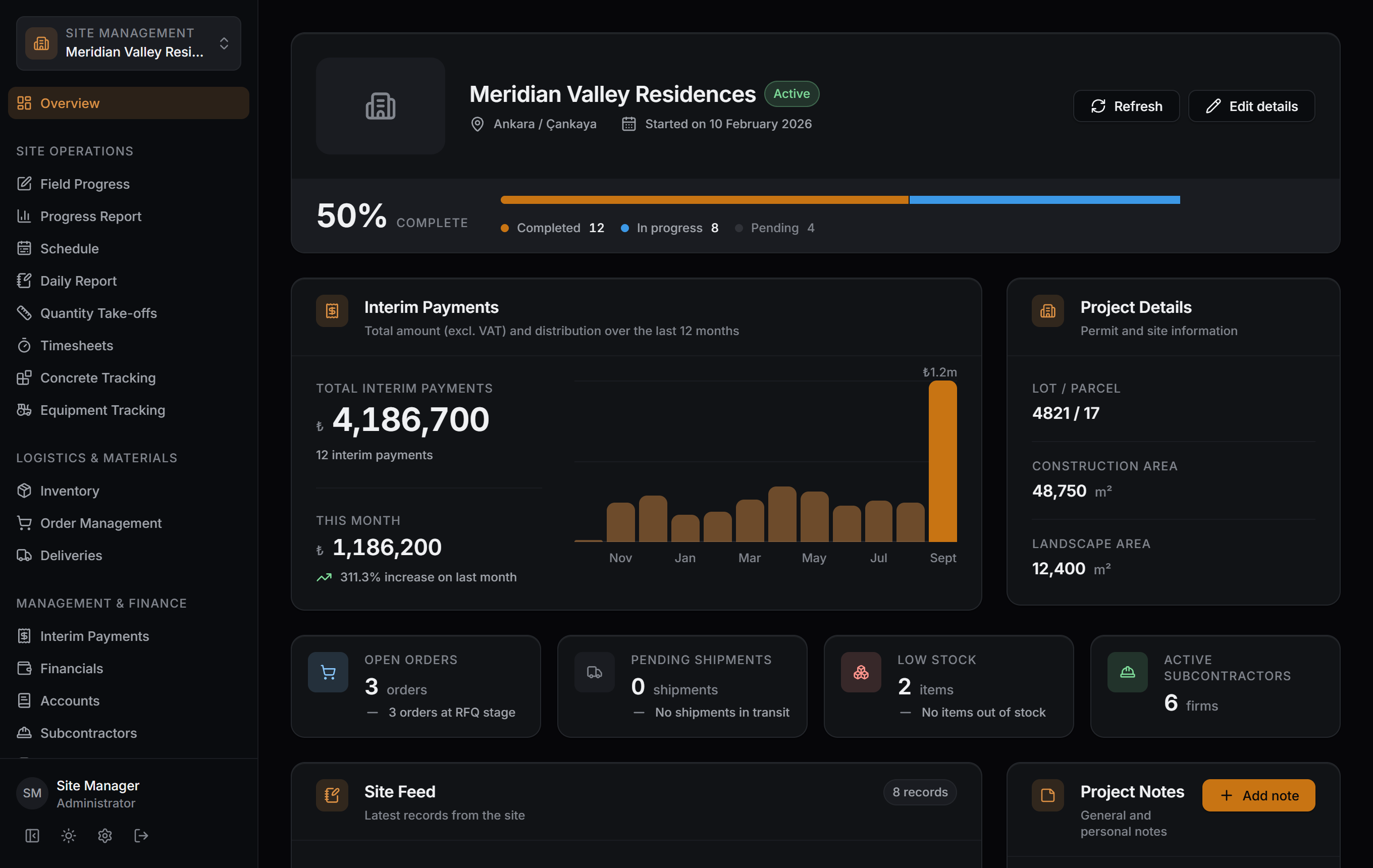
Every module works on the same project data: a work item shows up in the interim payment, a delivery in the stock, a timesheet in the month-end report. The overview screen brings them together on one page.
Site Operations
Every job on site recorded, from work items to concrete pours, from timesheets to equipment. A record reaches down to building, unit and area.
- 01
Field Progress
Track work items by building, unit and area.
- 02
Progress Report
Narrow down by building, unit, area, subcontractor and status; the results update instantly.
- 03
Schedule
Which job, who has it, when — the schedule chart and delays on one screen.
- 04
Daily Report
The day's weather, the crews on site and the work done. Days with a report are marked on the calendar.
- 05
Quantity Take-offs
The quantity library and take-off sheets; interim payment lines draw on them.
- 06
Timesheets
Workforce and days-worked tracking; the month-end timesheet output comes from the same record.
- 07
Concrete Tracking
Site concrete pour records, cost analysis and delivery ticket documents.
- 08
Equipment Tracking
Daily equipment work entries, cost analysis and work tickets.
Logistics & Materials
An unbroken chain from order to delivery and from delivery to stock. Received material goes into stock, material leaving stock goes into cost; low stock flags itself.
- Order
- Shipment
- Delivery
- Stock
- Cost
- 09
Inventory
Material stock levels, transaction ledger and cost analysis.
- 10
Order Management
Material orders, quote comparison and the approval process.
- 11
Deliveries
Track order shipments and receive deliveries; stock and accounts update automatically.
Management & Finance
Subcontractor payments, accounts and cost, in the same ledger as your suppliers and customers. A work item is tied to an interim payment line and the account updates itself.
- 12
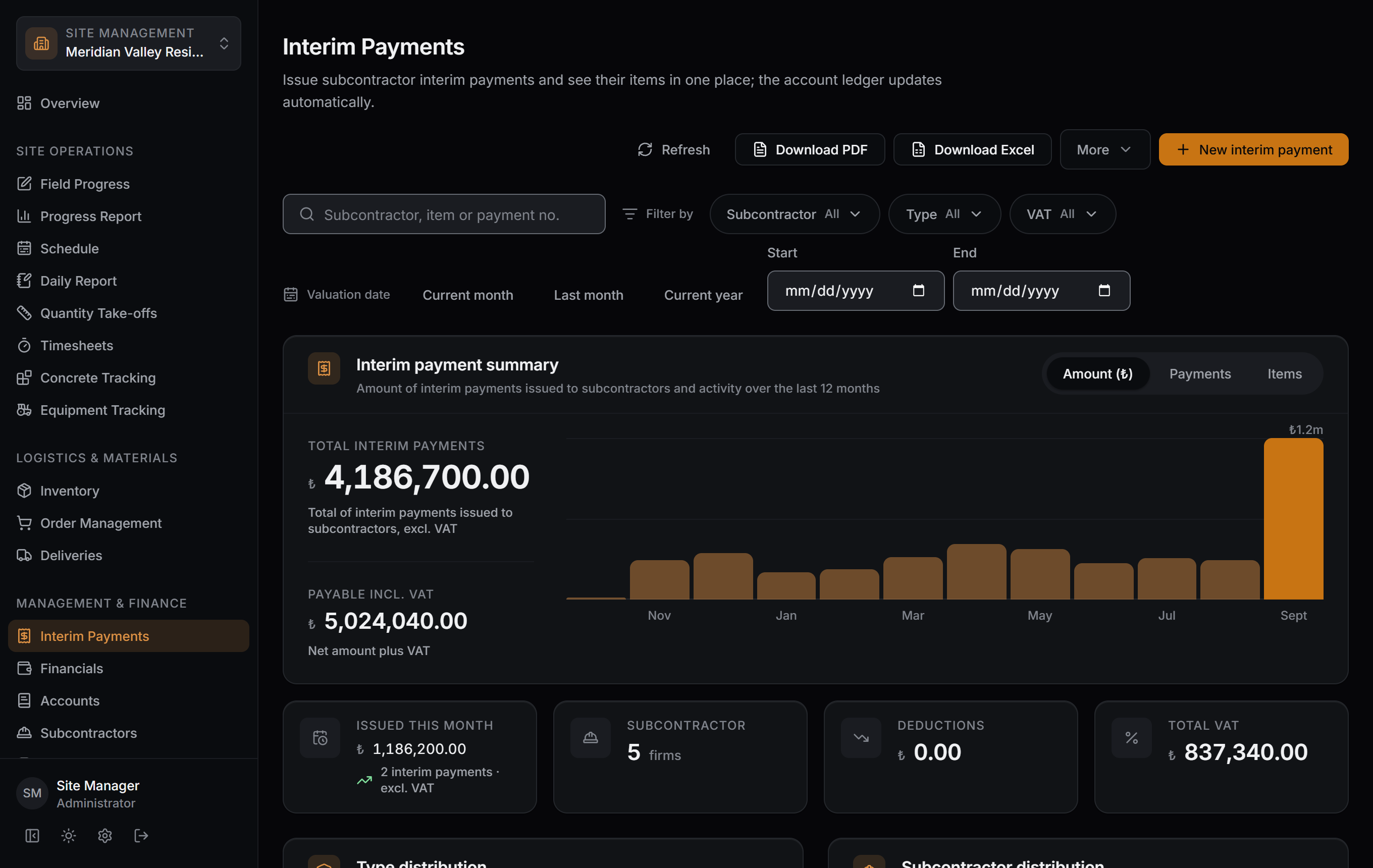
Interim Payments
Issue subcontractor interim payments and see their items in one place; the account ledger updates automatically.
- 13
Financials
The project's actual cost, category and firm breakdowns, and open commitments.
- 14
Accounts
Counterparty balances, the transaction ledger and due-date tracking.
- 15
Subcontractors
Company details, agreements and each firm's footprint in the project — interim payments, site work and account balance in one place.
- 16
Suppliers
Company details, price and delivery scorecards — quotes, shipments, purchases and account balance in one place.
- 17
Customers in progress
Customer accounts are opened from Accounts today; their own screen is in progress.
Office & Tools
The project's details, permit and files; your team's permissions. Who sees what is your call.
- 18
Files
All project documents, with their folders and version history.
- 19
Users
Company team, project permissions and registered devices — who can access what, on one screen.
See the modules on your own project.
Screens captured as-is from the Windows app; the data belongs to a sample project. Download the app and set up your first project.