
The field team
Enters work item status, quantity, photographs and notes from a phone. That is the whole of their work in the app.

In Sitabula data is never entered twice. The five steps below follow one work item from the phone it was entered on to the month-end report.
A user signs in and chooses a project; from that moment every screen works only with that project's data. Permissions sit at project level: a user cannot see a project they are not authorised for.
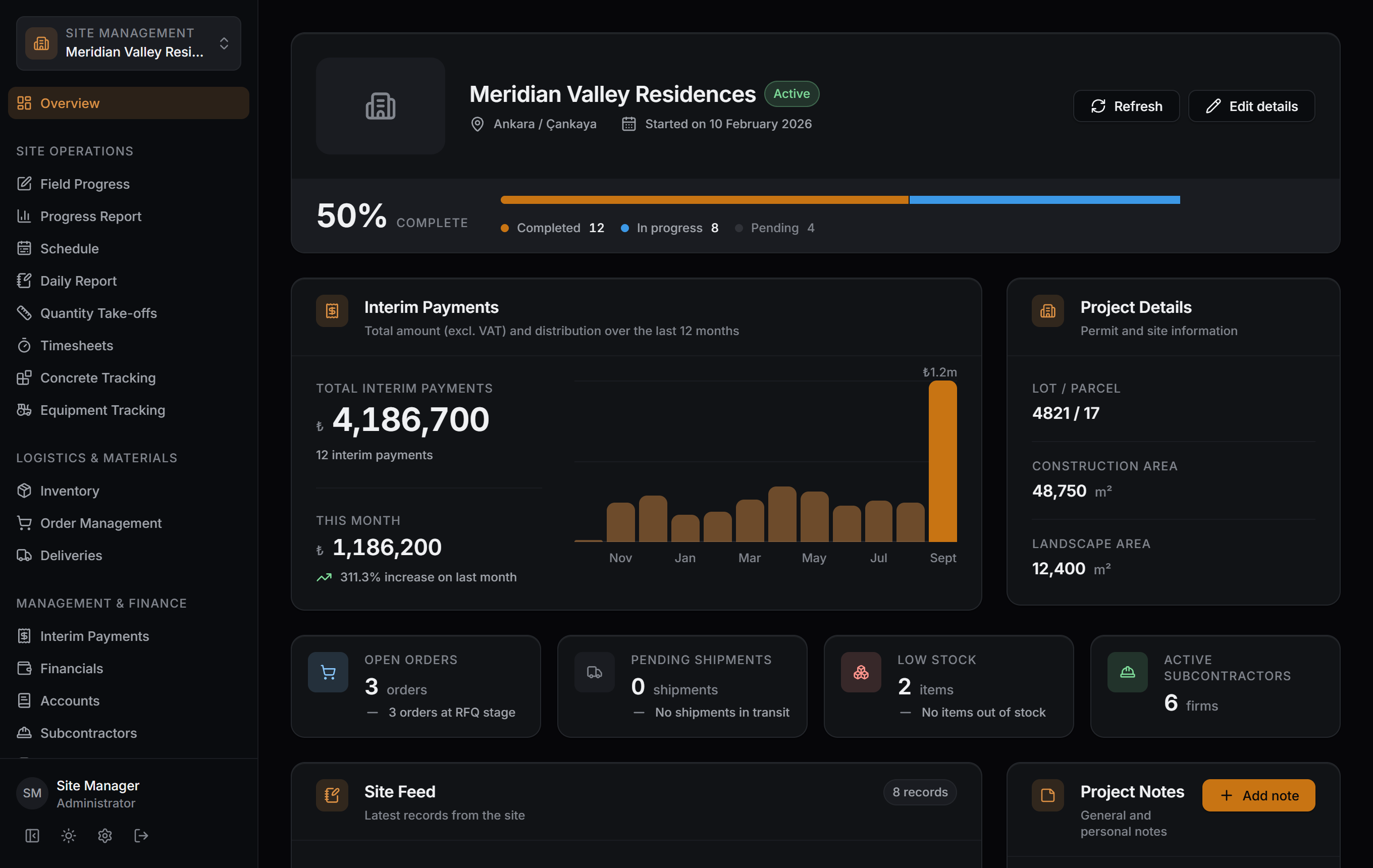
Work item status, quantity, photographs and notes go in from the phone. A record reaches down to building, unit and area, so the answer to "how much is done" is not an estimate but the sum of what was entered.
An order goes out, the shipment sets off, and delivered material lands in stock. The same chain covers transfers between projects: material leaving the warehouse carries its cost to whichever project received it.
A work item is tied to an interim payment line; concrete, equipment and ledger entries add to the cost. The interim payment screen produces the total, the VAT and the monthly distribution from the same records.
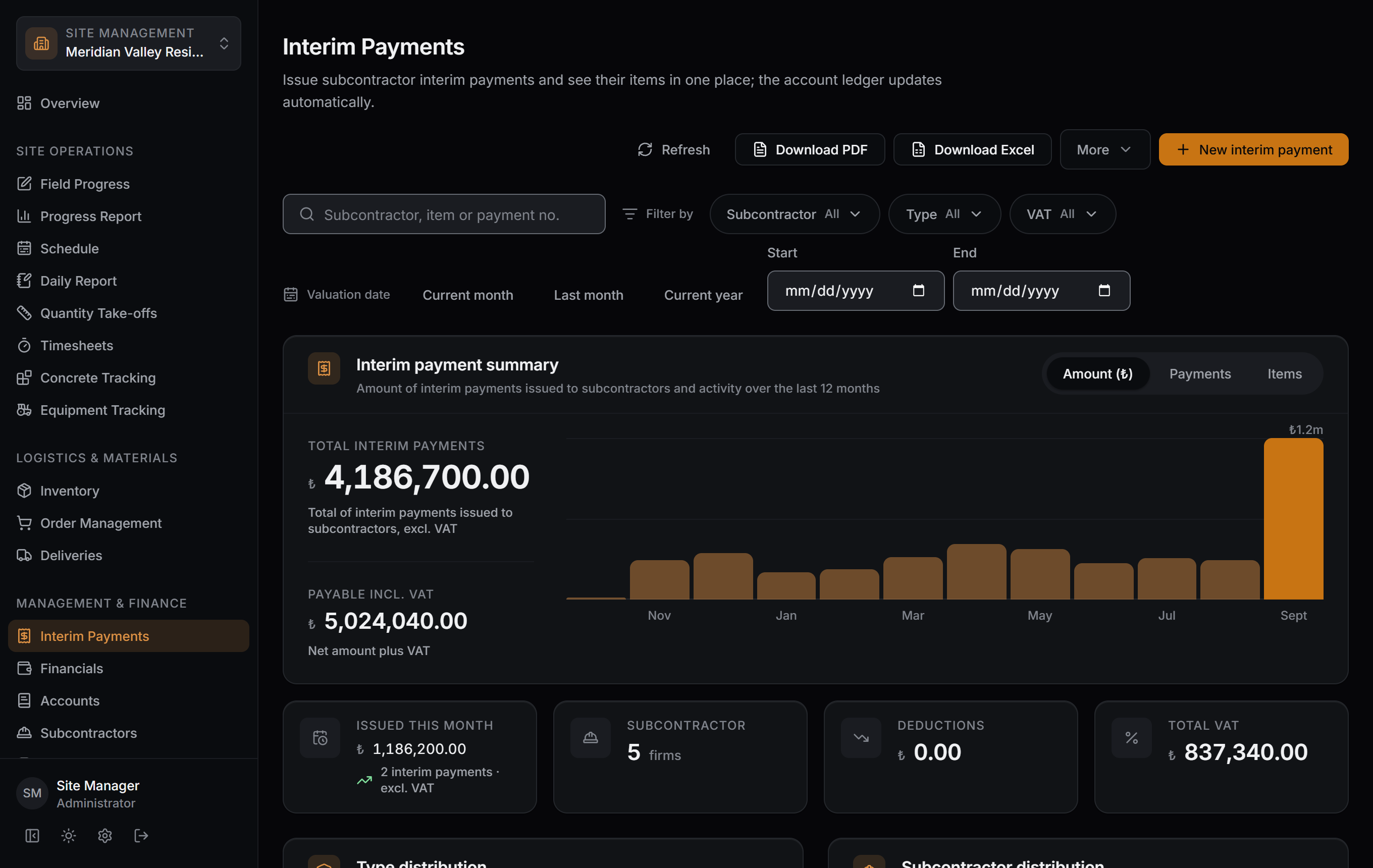
Excel, PDF and site reports come out of the records already entered; nobody gathers the data again at month end. Timesheet output and the file archive come from the same place.
Captured as-is from the Windows app; the data belongs to a sample project.
Three different needs look at the same data. Screens open according to role, so nobody has to learn somebody else's job.
Enters work item status, quantity, photographs and notes from a phone. That is the whole of their work in the app.
Follows progress, shipments and outstanding work items from the same screen.
Takes the interim payment, the ledger entry and the month-end report from what the field recorded; nobody has to be called for data.
The app is live on three platforms. Sign in, set up your first project; there is no time limit for one project.